 Atlas
AtlasJob hunting,
handled.
The browser with a built-in job-search agent. It finds roles, reads your fit, researches the employer and fills the application. Then it waits for your OK.
Upload your CV. Atlas learns what you want.
Atlas reads your experience, skills and target roles, and you review the profile before anything is saved.
A fresh shortlist, every morning.
New roles, each with a fit score and the reason behind it.
Save jobs straight from the posting.
One click from any job page into your list.
An honest read on your fit.
What you match, what's missing, and the evidence for both, straight from the posting.
Know the employer before you apply.
A sourced brief: what they do, recent signals, and what's worth asking.
It fills the form in your words.
Your details, answers you've confirmed before, and your CV. Open questions are left for you.
Nothing is sent until you approve.
Every application ends on a review screen. Approve it, edit it, or walk away.
It stops.
And asks.
Atlas can't press submit on its own and won't make up answers to open questions. The final call is always yours.
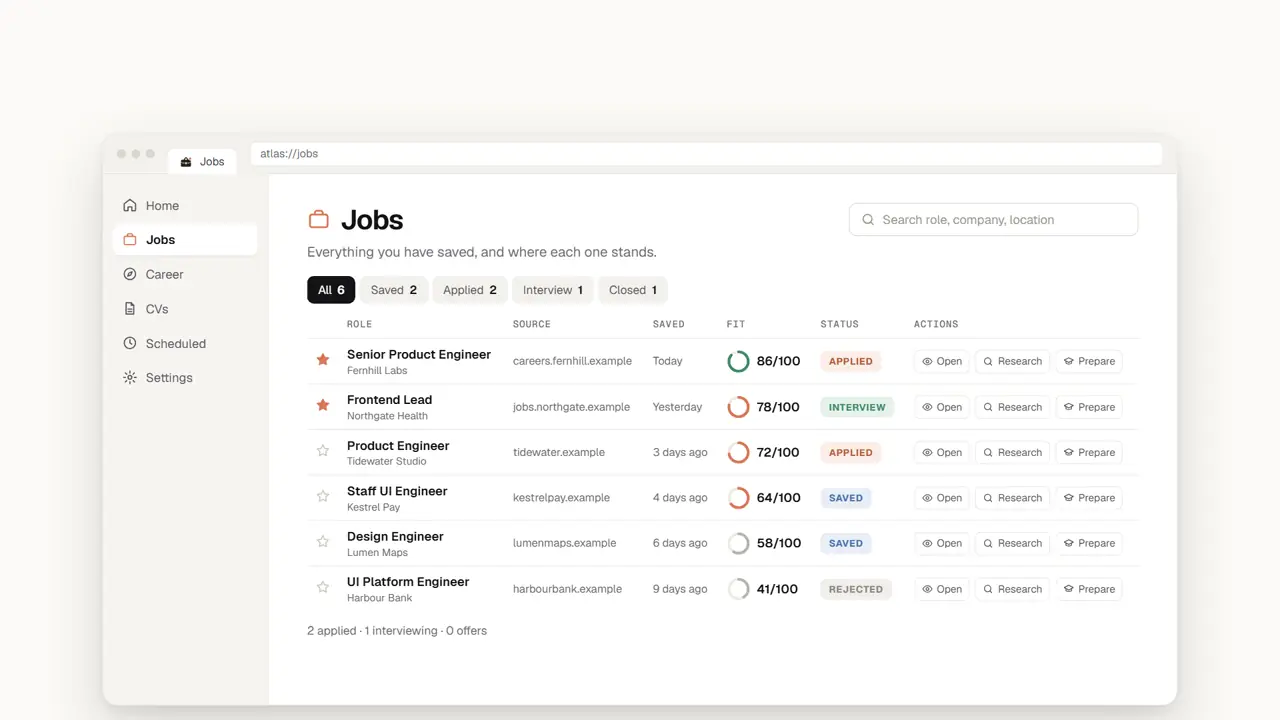
Every application, one place.
Saved, applied, interviewing, closed, each with its fit score.
Then get ready for the interview.
A preparation plan, practice, and a debrief afterwards, plus a tailored CV and cover letter to review.
Fast where it helps. Careful where it matters.
Filling a form and sending it are separate steps. Sending always needs you.
"Why this role?" stays blank unless you wrote the answer yourself.
A second, independent check reviews fit scores and whether a button opens a form or sends it.
Updates that stay out of your way.
This beta (0.0.215) doesn't update itself yet. When the first self-updating build is ready it will be posted here. Install it once (uninstall the old build first; your profile is kept), and from then on:
- Downloads in the backgroundWhile you keep working.
- Checks it's genuinely AtlasEvery update is signature-verified before it's used.
- Waits for a quiet momentNever in the middle of an application.
- Applies when you restartNothing changes under you mid-session.
- Rolls back if something's wrongA failed start-up check restores the last good version.
Try Atlas.
Windows 10 and 11, 64-bit.
Download Atlas 0.0.215If Windows warns you
The beta isn't code-signed yet, so SmartScreen may say it "protected your PC". If the SHA-256 above matches, choose More info, then Run anyway. Or wait for a signed release.
Install
- Run the setup file.
- Read and accept the draft terms.
- Keep the default folder and launch Atlas.
Good to know
- Installs for your account only. No admin rights.
- Fresh install only.
- Doesn't make itself your default browser.